
Scan a receipt with AI Spend
Photograph a receipt or a bank screenshot and get the total, the items and the categories filled in.
AI Spend is the fastest way to know where the money actually went, and it needs no bank connection. In the app the screen is called AI Scan.
Scan
- Open the Spending tab, tap the plus button and choose Scan a receipt. The plus menu on Overview has the same item.
- Say where it comes from: Camera, File, Photo or Clipboard. A bank app's transaction screen works as well as paper. Camera only appears on devices that have one, and Clipboard is greyed out until you have copied an image.
- Wait a moment while it is recognised.
Up to two images can go into one scan, for instance two pages of a statement. They are read together and added up as one result.
Straight from the app icon
Touch and hold the Subscrr icon on the Home Screen and choose Scan receipt. The app opens with the camera already up, so a paper receipt goes in without passing through the dashboard. The shortcut is there on iPhone and iPad, wherever there is a camera to scan with.
What you get back
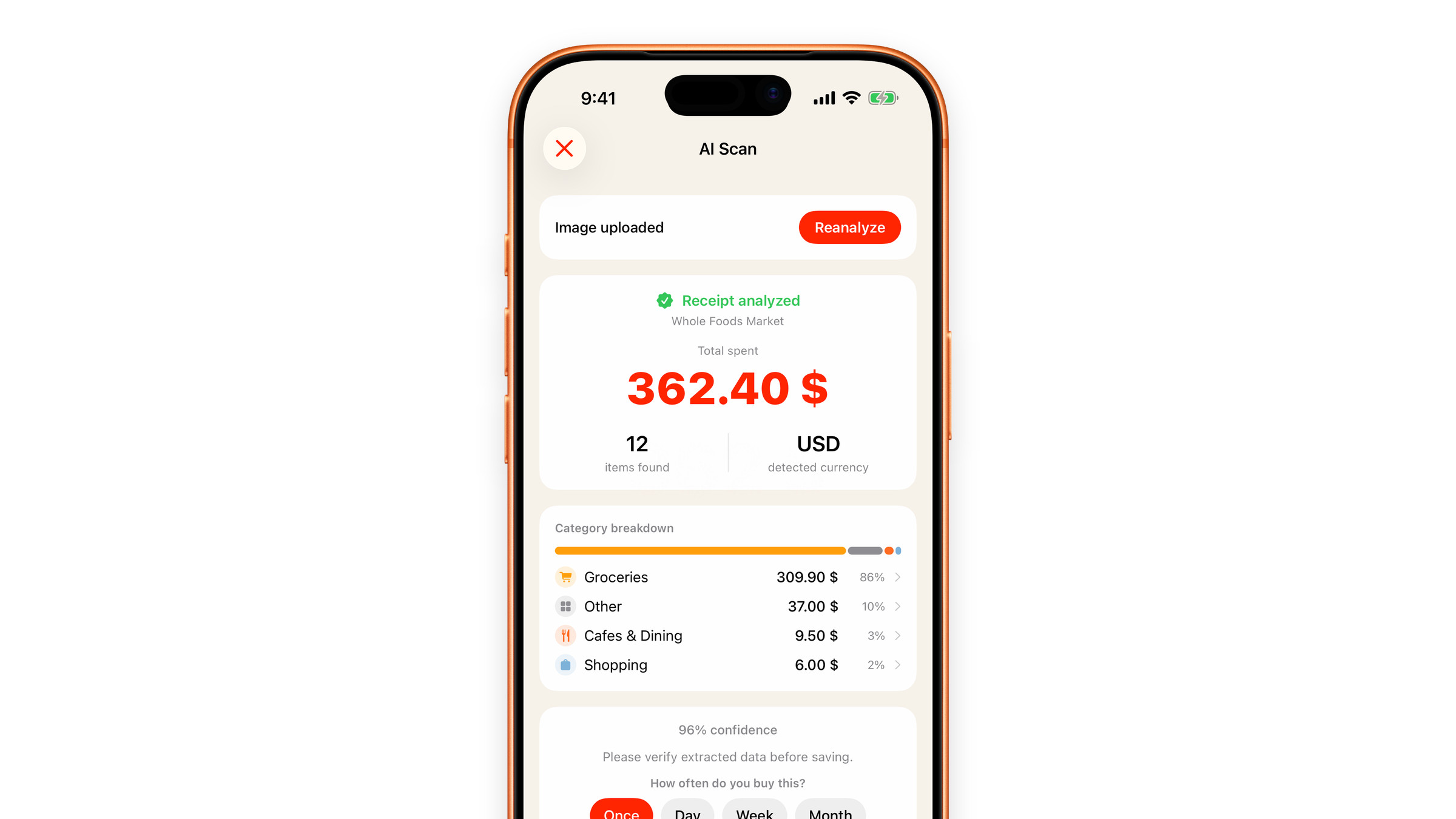
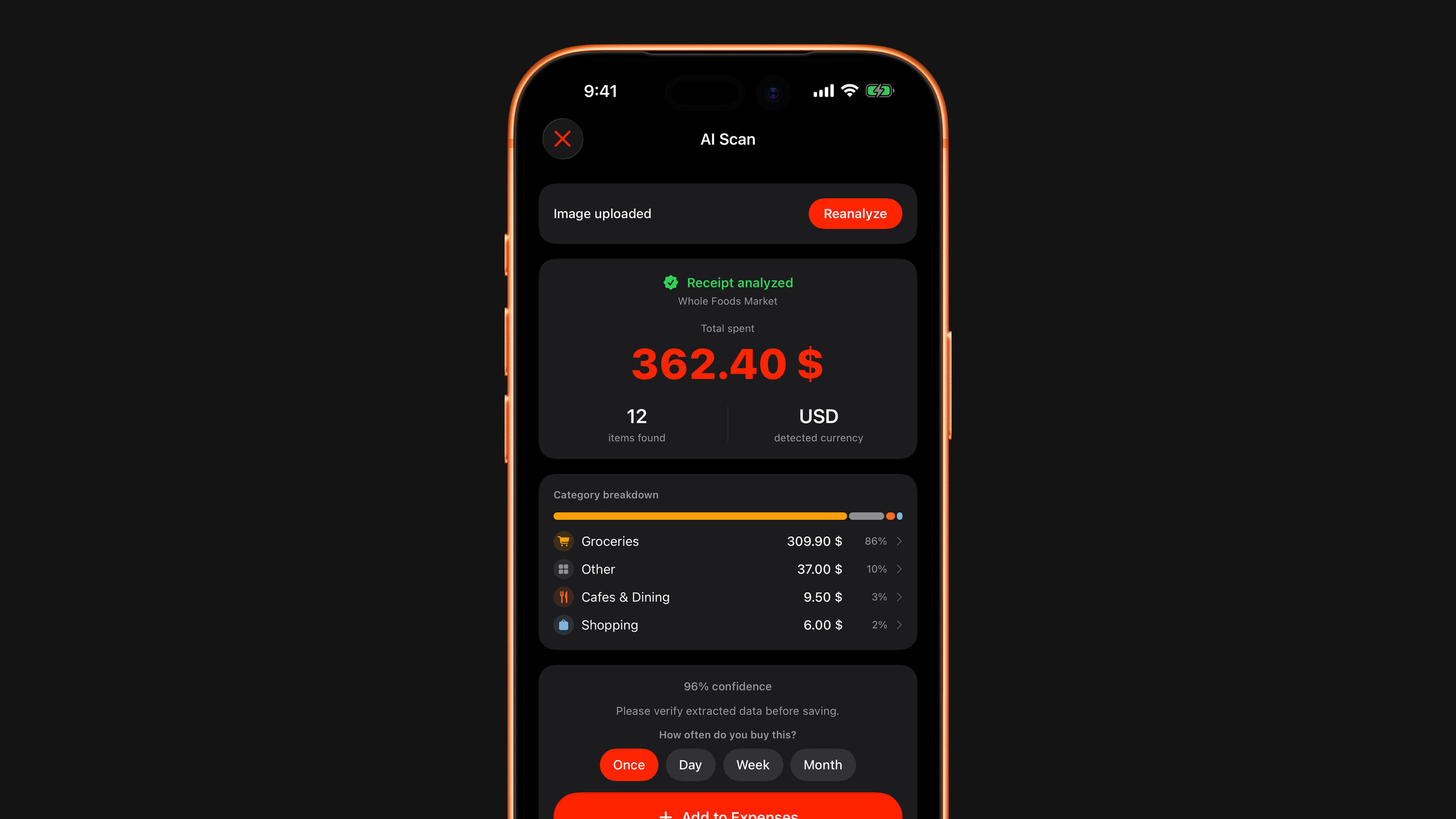
- The total, with the shop and the date under Receipt analyzed where they are legible, and the currency it was read in.
- How many items were found.
- A category breakdown: a bar and a list of categories with their sums and shares. Items are sorted automatically, item by item, the way a bank categorises transactions. The individual lines are not listed on this screen: tap a category to see what is inside it.
- A confidence figure, with a reminder to check the numbers before you save.
Sometimes a short note appears as well, for example when one item makes up most of the total.
Check it before you add it
Nothing becomes an expense until you tap Add to Expenses. Until then you can:
- Correct the total. Tap the big amount, type the right one and save. A total you typed stays as you typed it.
- Change the currency. Tap it under the amount and pick another.
- Move items to another category. Tap a category row, then an item: see Recategorise a receipt item.
- Leave an item out. In the same list, swipe the item to the left and tap Exclude. The total becomes the sum of what is left.
- Run it again. Reanalyze at the top reads the same picture once more.
The price of a single line cannot be edited. If one price is wrong, correct the total.
Under the breakdown, How often do you buy this? offers Once, Day, Week and Month. A receipt is a one-off by default, so a shopping trip does not turn into a monthly habit; change it if the same shopping really repeats.
What Add to Expenses creates
Every priced line becomes its own expense on the Spending tab, in its own category, with the shop as its source. If the lines add up to less than the total, the difference is saved as one more expense in Other. A receipt with no readable lines becomes a single expense. Amounts are saved in the currency set in Settings; when the receipt was in another currency, the original amount stays visible on the expense.
When a line looks like a subscription
If the scan finds a recurring charge, a streaming service in a bank statement for instance, it appears in a Looks like a subscription block on the results screen. Nothing is added by itself. Tap the line and decide:
- Add subscription: confirm the amount, the billing period and the first payment date, and it joins your subscription list.
- Not a subscription: Subscrr remembers that merchant and stops suggesting it in future scans.
Subscriptions already on your list are never suggested again.
Cost
AI scanning is a Premium feature, with one free scan so you can judge the quality yourself. A scan that fails does not use it up. See What is free and what is Premium.
Getting good results
Flat receipt, even light, whole receipt in frame, no fingers over the total. If a scan comes back wrong, see Receipt scan failed or misread.
Receipts are processed for recognition only. They are not stored on our servers and are never used for advertising. See What happens to scanned receipts.
Did this answer your question?