
My subscriptions are not on my other device
Sync runs through your private iCloud: both devices need the same Apple Account and iCloud switched on.
Subscrr syncs through your iCloud, not through our servers. That means there is nothing on our side to reset: the fix is always in the iCloud setup.
Check both devices
- Same Apple Account. Open iOS Settings, tap your name at the top and confirm both devices show the same account.
- iCloud Drive is on. iOS Settings → your name → iCloud.
- Subscrr is allowed to use iCloud. In the same iCloud screen, find Subscrr in the app list and make sure it is enabled.
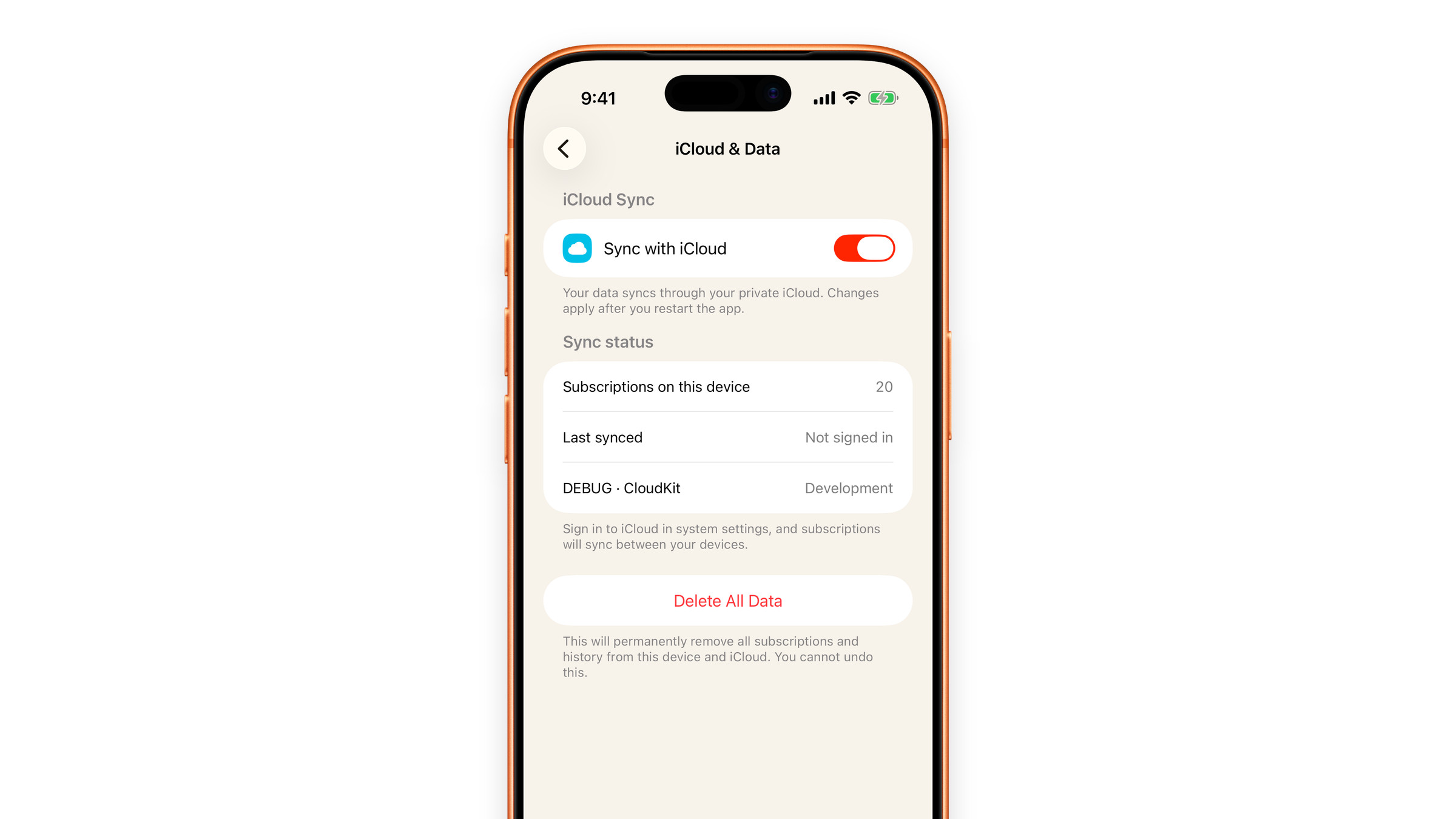
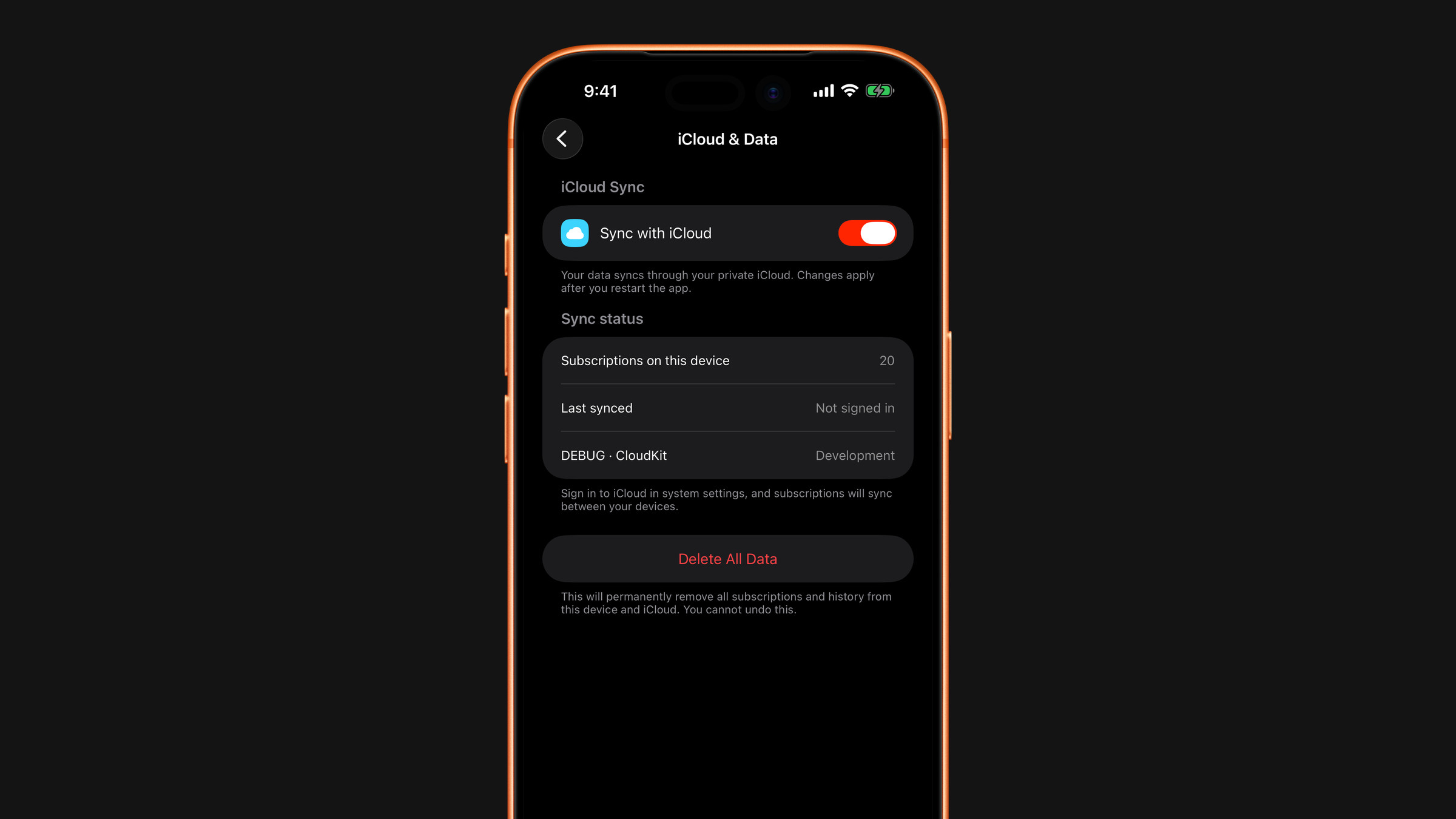
- Sync is on inside Subscrr. Open Settings → iCloud & Data on both devices: Sync with iCloud must be on, and a change to it applies after you restart the app. The Last synced row says Off, Not signed in, Not yet or the time of the last exchange, which tells you which of these is the problem.
- Both devices are online. Sync needs a connection on both sides, not only the one you are looking at.
Give it a minute
The first sync after installing on a new device is the slowest: it can take a minute or two, and it will not finish while the app is in the background on a locked phone. Leave Subscrr open and on screen for a moment on both devices.
Still nothing
Force-quit and reopen Subscrr on both devices. If one device has the complete list and the other is empty, make changes on the full one; adding data is safer than trusting a half-synced copy.
See also: iCloud sync explained.
Did this answer your question?