
Calculate what a habit costs
Turn "a coffee every working morning" into a monthly and yearly number.
The Spending side of the Spending tab is for money that is not a subscription but behaves like one.
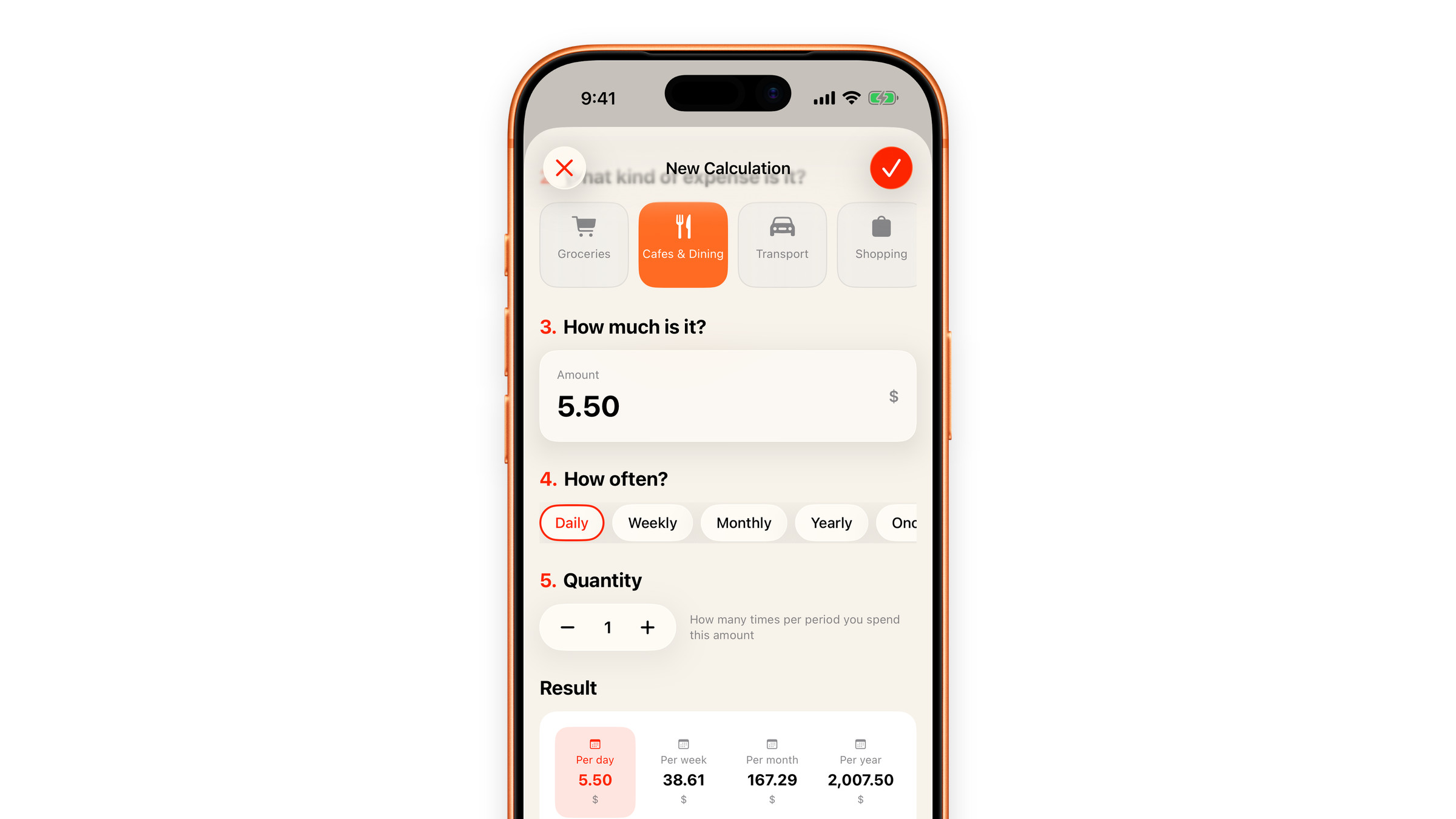
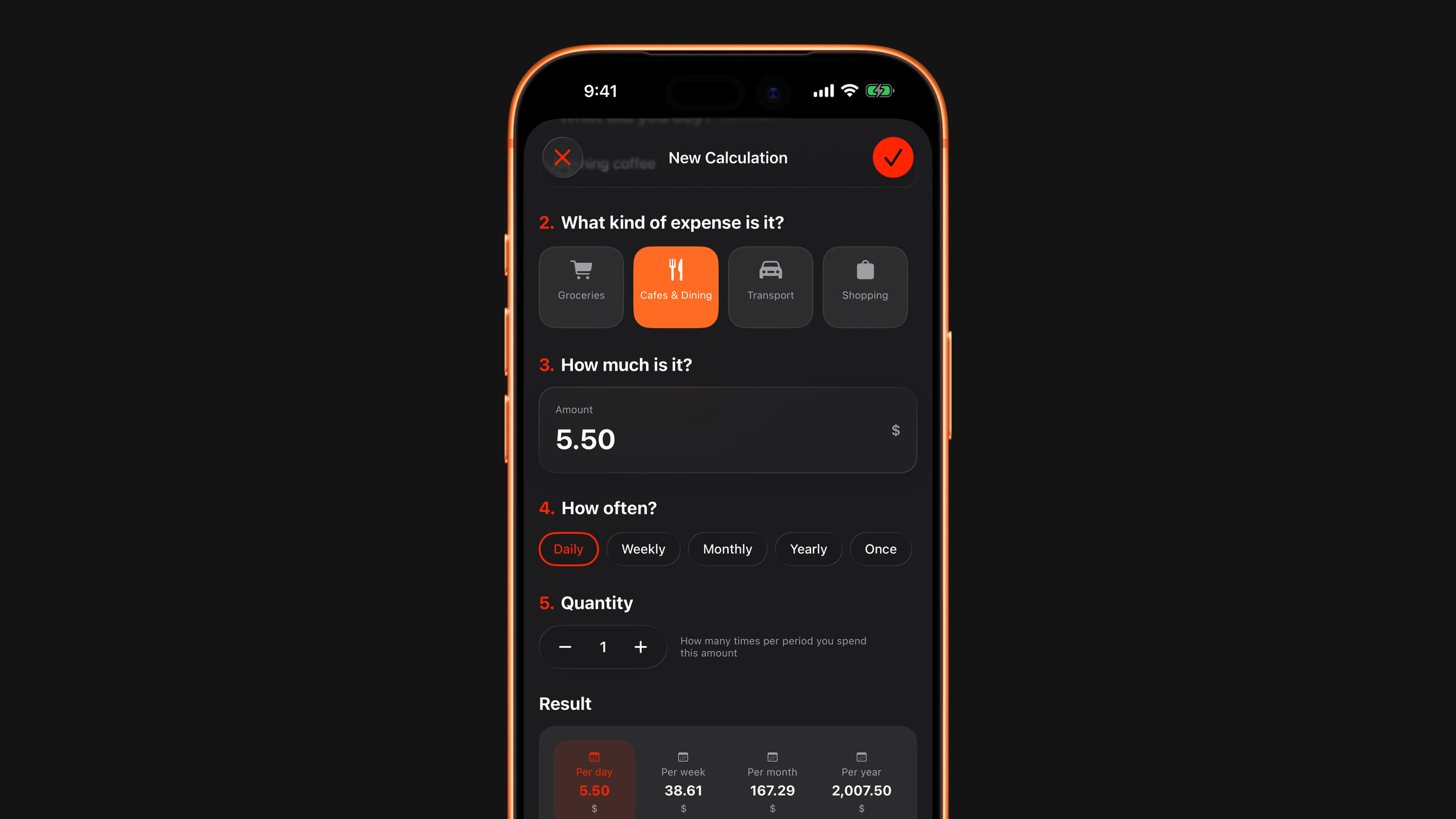
Open the Spending tab, tap the plus button and choose Add expense. The New Calculation button under your list opens the same form, which has five numbered steps:
- What did you buy? Give it a name if you like. The name is optional: "Coffee" is enough.
- What kind of expense is it? Choose from the row of category tiles. The New tile at the end creates a category of your own.
- How much is it? Enter what it costs once: one coffee, one taxi, one lunch. The amount is in the currency you chose in Settings.
- How often? Daily, Weekly, Monthly, Yearly, Once, or a custom interval.
- Quantity: how many times per period you spend that amount. Two coffees a day is Daily, the price of one coffee and a quantity of 2.
Then tap the check mark at the top right. Only the amount is required.
At the bottom of the form, Result updates as you type and shows the same habit per day, per week, per month and per year, with a line saying what the numbers are based on: 365 days, 52 weeks or 12 months in a year. For Once it shows a single One-time cost instead.
Only some days of the week
A weekday-only coffee is a very different number from a seven-day coffee, but the new-expense form counts a Daily habit as every day. To limit it, save the expense as Daily, open it, tap the three-dot menu at the top right and choose Edit. A Select Days row appears for Daily expenses: pick Weekdays, Weekends, All days or any combination, and the numbers follow.
One-off purchases
Not everything repeats. When you add an expense from a scanned receipt it is saved as a one-off by default, so a single large purchase does not inflate your monthly picture. If it really does repeat, change How often do you buy this? on the scan result before you add it, or change the frequency later by editing the expense.
Keeping and changing them
Your expenses stay in the list on the Spending tab, grouped by category, until you delete them. Open one to see what it comes to per month and per year, change the amount, frequency or category with Edit and watch the numbers follow. Swipe a row to the left to delete it, or use Clear category in a category's menu. Settings → Calculator → Clear calculator history removes all saved expenses at once, together with the scan history. With iCloud sync on, expenses travel between your devices like subscriptions do.
Did this answer your question?